
By: Will Melton
Published Date: September 9, 2026
I’ve built 65 applications this year. Some are client platforms. Some are internal tools for Xponent21. Some are things I built for myself on a Saturday because the idea wouldn’t leave me alone. A few are businesses now. A few are experiments that taught me something and got parked.
Somewhere around app twenty, I stopped noticing the code and started noticing the pattern. The thing that separates software that feels real from software that feels like a demo has almost nothing to do with the core feature. It’s everything wrapped around the core feature.
Anyone can build the thing now. The tooling got that good. What’s still rare is building the thing so that a stranger can walk into it, understand where they are, trust what’s happening, and get value without a phone call.
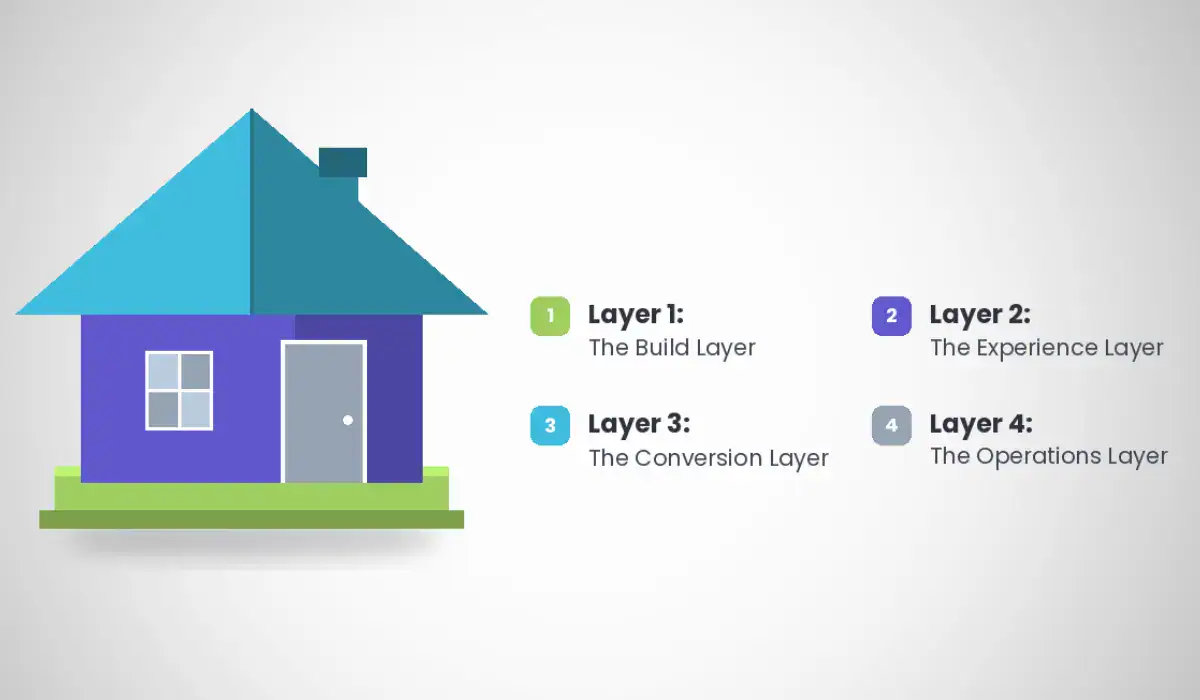
That’s the whole game. Here’s my working checklist, organized the way I actually think about it: what’s under the hood, what the user touches, what converts, and what happens after.
Layer 1: The Build Layer
This is the structural stuff. Users don’t ask for it. They notice immediately when it’s missing.
A product roadmap inside the application. I put one in nearly everything I build now. Clients can see what’s being built, what’s in review, what shipped, and what’s queued. It ends the “what are you working on” email forever. It also forces me to be honest about sequencing. When the roadmap lives in the app instead of a slide deck, it stays current, because updating it is part of the work rather than a separate chore.
The version I like best is public and requires no login. It becomes a marketing asset. A prospect can look at your roadmap and see a company that ships.
A feedback mechanism with a closed loop. Collecting feedback is the easy half. The half people skip is the return trip. In my apps, feedback gets submitted with a screenshot or file attachment, gets triaged, gets promoted to a roadmap item with a due date assigned by criticality, and when that item ships, the original submitter gets notified automatically that their thing is done. That last step is what makes people submit feedback a second time.
Notifications that carry their own weight. Email for the things that matter outside the app. In-app for the things that matter inside it. The test is simple: if I ever find myself manually drafting a message to tell someone what the system already knows, the system has a gap. Every one of those messages is a notification I failed to build.
Roles, permissions, and row-level security. I didn’t have this on my original list and it’s probably the most important thing on this one. Who can see what, who can do what, and whether the database itself enforces it. Enterprise buyers ask about access control before they ask about features. If organizations and roles aren’t first-class in your data model from day one, retrofitting them later touches every table you have.
Audit trails and version history. Who changed what, when, and can we go back. I have apps with full content version comparison and one-click rollback, and apps with SOP versioning where a document can be marked decommissioned instead of deleted. History is a feature. Deleting history is a liability.
Change reports. A daily and historical record of what changed in the system. I built this into several platforms almost by accident and it turned out to be one of the most-used surfaces. It answers “what’s different since I last logged in” without anybody having to write a release note.
Security scanning as a standing surface. A place in the admin where vulnerability scan results live, get tracked, and get cleared. Treating security as a screen instead of an occasional email changes how often it gets handled.
Data export and clean offboarding. Clients should be able to get their data out. I have a platform with a full client export and a purge process with its own audit log. Building the exit door well is a sales asset, because it removes the fear of being trapped.
Observability. Error monitoring, structured logs, and alerting on user-facing symptoms. If your users find out about the outage before you do, you don’t have a product yet. You have a website.
Reusable modules. Once you’ve built the roadmap system, the feedback system, and the notification layer three times, package them. I install a roadmap SDK into new builds now. Everything I learn on one app becomes cheaper on the next one. That’s the compounding asset in this whole model.
Layer 2: The Experience Layer
Every one of these exists to answer a question the user hasn’t asked out loud yet.
Guided walkthroughs. First run should not be a blank room.
Documentation inside the application. Not a separate help site nobody bookmarks. In-app, searchable, next to the thing it explains. I’ve started shipping documentation hubs and downloadable engineering standards inside the products themselves.
A chatbot with real reach. Not a search box wearing a costume. An assistant that can take the shortcut on the user’s behalf, skip four steps of navigation, interpret intent, and execute inside controlled boundaries. For administrators especially, this collapses the learning curve.
Tooltips and place-setting. Where am I, what is this, what happens if I click it. Constant, quiet orientation.
Clear navigation to every area. No orphan pages. No dead ends. If a route exists, something in the interface points to it.
Empty states that do work. This is the one most builds waste. A dashboard with no data is not a failure state. It’s your best onboarding real estate. Show sample data, explain what will appear here, and give one clear action to make it real. Roughly two-thirds of signups across B2B SaaS never reach the moment where the product proves itself. A lot of them stall at a blank screen nobody designed.
Constrained inputs instead of free text. In one marketplace I built, buyers can’t type their own manufacturing specs. They choose from three locked tiers, each with a plain-English description of what it’s for and what it is not suitable for. Free text moves the burden of expertise onto the person who doesn’t have it. Structured choices move it back to you, where it belongs.
Business intelligence that surfaces usage and enables action. Dashboards should show what’s happening and let you do something about it in the same screen. Insight plus a button. Add simple rules and automation so the obvious response can fire on its own.
Role-shaped views of the same data. I build internal mode and client presentation mode into the same application. Full pipeline, admin controls, and internal labels for the team. Clean, branded, full-bleed for the client. One system, two faces.
Accessibility. Contrast, keyboard navigation, alt text, screen reader structure. It’s the right thing to do and it’s also a procurement requirement the moment you sell to anyone institutional.
Layer 3: The Conversion Layer
This is where most technically excellent applications quietly fail.
Leave nothing to the imagination. When you ask someone to take an action, they should know exactly what’s on the other side of it. What arrives, when, from whom, and what it costs. Ambiguity is the highest-friction thing in any funnel and it’s free to remove.
Show, don’t describe. Demos. Recorded video. Written articles. FAQs. Screenshots of the actual interface. People buy what they can picture themselves using.
A defined activation event. Pick the one action that means a user got the point. Published their first article. Imported their first list. Booked their first session. Then design the entire first session around reaching that one thing as fast as possible. Everything not serving it gets deferred.
An onboarding checklist. Simple, visible, closeable. Open loops pull people toward finishing them.
Drip sequences tied to behavior. What fires when somebody does the thing. What fires when somebody starts the thing and stops. What fires thirty days later. Connect the email to what the user actually did in the product rather than to the calendar.
Drop-off capture. Who abandoned, at what step, and can we identify them. Progressive capture matters here. Get an email early enough that a drop-off is recoverable and late enough that asking doesn’t cause the drop-off.
Intermediate destinations. Not every action completes in one sitting. Sometimes the flow is: user does something, receives an email, and needs a page to land on that continues the process from where they left it. Those pages need to exist and they need to be as considered as the homepage. I’ve built approval workflows that an external client can complete without ever creating an account.
Layer 4: The Operations Layer
The application is the front door. This is the building.
Where the information goes. Someone submits a form. Now what. Which system receives it, who gets alerted, what record gets created, and what’s the next human touch. Map it end to end before you build the form.
How much of that is automated. Every manual handoff is a place where the experience degrades on a busy week. Automate the routing, the record creation, the acknowledgment, and the follow-up trigger. Leave the judgment to people.
A real CRM behind customer-facing apps. Follow-ups, nurture, and the ability to market to these people in the future. Contacts that live only in your application’s user table are contacts you can’t do anything with.
Payments and entitlements handled correctly. Use Stripe as the payment rail. Store entitlements in your own database. Purchases should create or upgrade accounts automatically and grant access immediately.
Document generation. Statements, invoices, reports, summaries. PDFs the user can download, keep, and forward. It makes a web app feel like an institution.
Client self-service. Give them the tools to manage their own relationship. Update their information, see their history, download their documents, adjust their settings, and take the actions you’d otherwise field by email. Self-service is the highest-margin feature in any business.
How I Actually Use This
I run four questions over every build before I call it done.
Can a stranger figure this out without me? Does the system tell people things instead of me telling them? If someone gives up halfway, do I know, and can I bring them back? And when the action completes, where does that information go and who acts on it?
Most applications answer the first question and fail the other three. That’s the entire difference between something that works and something that feels like real software.
None of this is exotic. It’s a checklist. The reason it reads like a lot is that most people building today are building the feature and stopping. The surround is the product.
Build the surround.

Will Melton
With nearly 20 years of experience leading businesses in technology and marketing, Will is passionate about helping companies worldwide harness their unique culture, dedication to service, and innovative solutions to outperform in the digital space. As a recognized expert in AI search and AI overviews, Will has developed cutting-edge strategies that not only elevate brands to the top of AI-driven search results but also transform the customer experience and drive business productivity. His talent for crafting modern brand strategies that deliver measurable impact, while pushing the boundaries of what's possible, is fueled by his relentless drive to see businesses succeed in the evolving digital landscape.